GIMPshop

GIMPshop
License:
Free (GPL)
Language:
English
Developer:
OS:
Win98/98SE/Me/2000/XP/2003/Vista/7
Updated:
See detailed info

Softonic review

Nick Mead

“Make The GIMP look like Adobe Photoshop”

by Nick Mead about GIMPshop

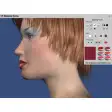
GIMPshop is a modification of The GIMP which gives it an Adobe Photoshop style interface.

All of the functionality of The GIMP remains the same with the bonus of a much easier to use Photoshop style interface. One of the biggest complaints of people switching from Photoshop to The GIMP is the unintuitive GUI of it which is why the developer designed GIMPshop.

GIMPshop features menu layouts, dialogs and naming conventions that all Adobe Photoshop users will be familiar with. However, one of the main problems Windows users will experience with GIMPshop is stability. GIMPshop is an open source on-going project and so it is not a fully polished product. The GIMPshop forum isn't particularly active either so there seems little chance of getting any help on this. There are also certain features missing from GIMPshop such as recording actions that are only available in Photoshop.

Of course, GIMPshop isn't a replacement for Photoshop but it's probably the closest thing you'll ever get for free.


Pros
  • Makes using The GIMP much like Photoshop
  • Much easier to use interface and conventions than The GIMP
Cons
  • Suffers from instability
Free Download GIMPshop 2.2.8 Fix1

GIMPshop is virus free

We have analyzed the latest version of GIMPshop with 30 antivirus engines and it is virus free. See analysis results.

TESTED VIRUS FREE - Softonic GUARANTEED

Developer's description

The original purpose for GIMPshop is to make The GIMP more accessible to the many Adobe Photoshop users out there. If you’ve never used Photoshop before, you may not appreciate it but the GIMPshop hack really makes a difference.

What the program does is rename and reorganize GIMP’s tools, options, windows, and menus to closely resemble Adobe Photoshop’s menu structure and naming conventions. Many of the menu options and even whole menus were recreated to faithfully reproduce a Photoshop-like experience. After running GIMPshop you’ll find that Photoshop and the GIMP are strikingly similar. Longtime Photoshop users should feel very comfortable using GIMPshop.

GIMPshop is by no means a one-to-one copy of Photoshop and you may find some menu items that are not in perfect order. But GIMPshop’s pretty close, and it does the job pretty well.

Review and rate GIMPshop

Your avatar

Your opinion is important.
Help other users - be the first to review this program.

Review
  1. Maximum: 75 characters

  2. See example

Pros and Cons
Rate
  1. What rating would you give GIMPshop?

    You need to fill in all fields

    • Usability:

      Not rated
    • Stability:

      Not rated
    • Installation:

      Not rated
    • Functionality:

      Not rated
    • Appearance:

      Not rated
    • Overall rating:

      Not rated
  2. Don't worry, we won't make your email address public.

You're not allowed to share serial numbers, cracks, etc. or link to pages that contain them. If you do, your user account will be deleted, your IP address logged and legal action will be taken.

Get started - just ask a question!

Write a title for your question.

Alternativesto GIMPshop

Compare with GIMPshop
Download rank: General

7 of 25

Softonic rating:
  • Very good
  • 8/10
User rating: (16 ratings)
  • Very good
  • 8/10
Your rating:
Your rating
  • 0

Review and rate this program

Top Downloads: General

  • United States
  • Global

  1. Microsoft Publisher

    Microsoft's excellent publications tool

  2. Paint.NET
  3. Adobe Photoshop 7.0.1 Update
  4. Free Photoshop Shapes Pack
  5. GIMPshop

Reviews of GIMPshop in other languages

GIMPshop for other platforms